Showing posts with label Grace period. Show all posts

Sunday, October 6, 2024

W365: Addressing Grace Period Notifications in the new Windows App

With the rapid evolution of cloud technology, Windows 365 has become an essential tool for organizations, allowing seamless access to Cloud PCs. However, as with any technology, updates and changes can occasionally introduce user experience challenges. One such issue that has surfaced with recent updates to the Windows App version 2.0.294.0 is the handling of Grace Period notifications for the windows 365 cloud pc's. 

Old vs. New: How Grace Period Notifications Have Changed?


In earlier versions of the Windows App, users were informed about the Grace Period directly within their connected Cloud PC session. The notification was clearly displayed inside the Cloud PC environment, making it easy for users to recognise that their access to the Cloud PC was nearing its expiration or needed License renewal.

In the latest version of the app, however, this behavior has changed. Now, the Grace Period notification is shown as a pop-up message (Your admin had removed access to this cloud pc. Backup your files immediately) rather than within the Cloud PC interface itself. While this may seem like a minor adjustment, it has led to some unintended consequences.

The Problem with Pop-Up Notifications:

Pop-up notifications, by their nature, are transient. Users often overlook or dismiss these messages, especially if they are engaged in other tasks. In many cases, the Grace Period notification may go unnoticed. When this happens, users might find themselves suddenly unable to access their Cloud PC, leading them to believe that their Cloud PC has “disappeared” or is no longer available.

This often results in unnecessary confusion and a surge in support requests, as users seek help to reconnect to their Cloud PCs, unaware that they had missed the critical Grace Period notification.

The Case for Reintroducing In-App Grace Period Notifications:

To address this issue and improve user experience, it would be beneficial to reintroduce the Grace Period notification inside the Cloud PC environment, as was done in previous versions of the Windows App. By restoring this feature, users will have a clear and consistent reminder that their Cloud PC session is approaching its grace period limit, helping them take appropriate action before their access expires.

Bringing back the old notification format would significantly reduce the number of support tickets raised due to missed notifications and provide users with a more intuitive experience.

Upvote for the submitted Feedback in the Microsoft Feedback Portal2.0.294.0

Tuesday, August 20, 2024

W365: Case study 2 - Resize windows 365 cloud pc during Grace Period

Continuation from Case Study 1

Scenario 2:

  • The cloud pc is placed under Grace period.
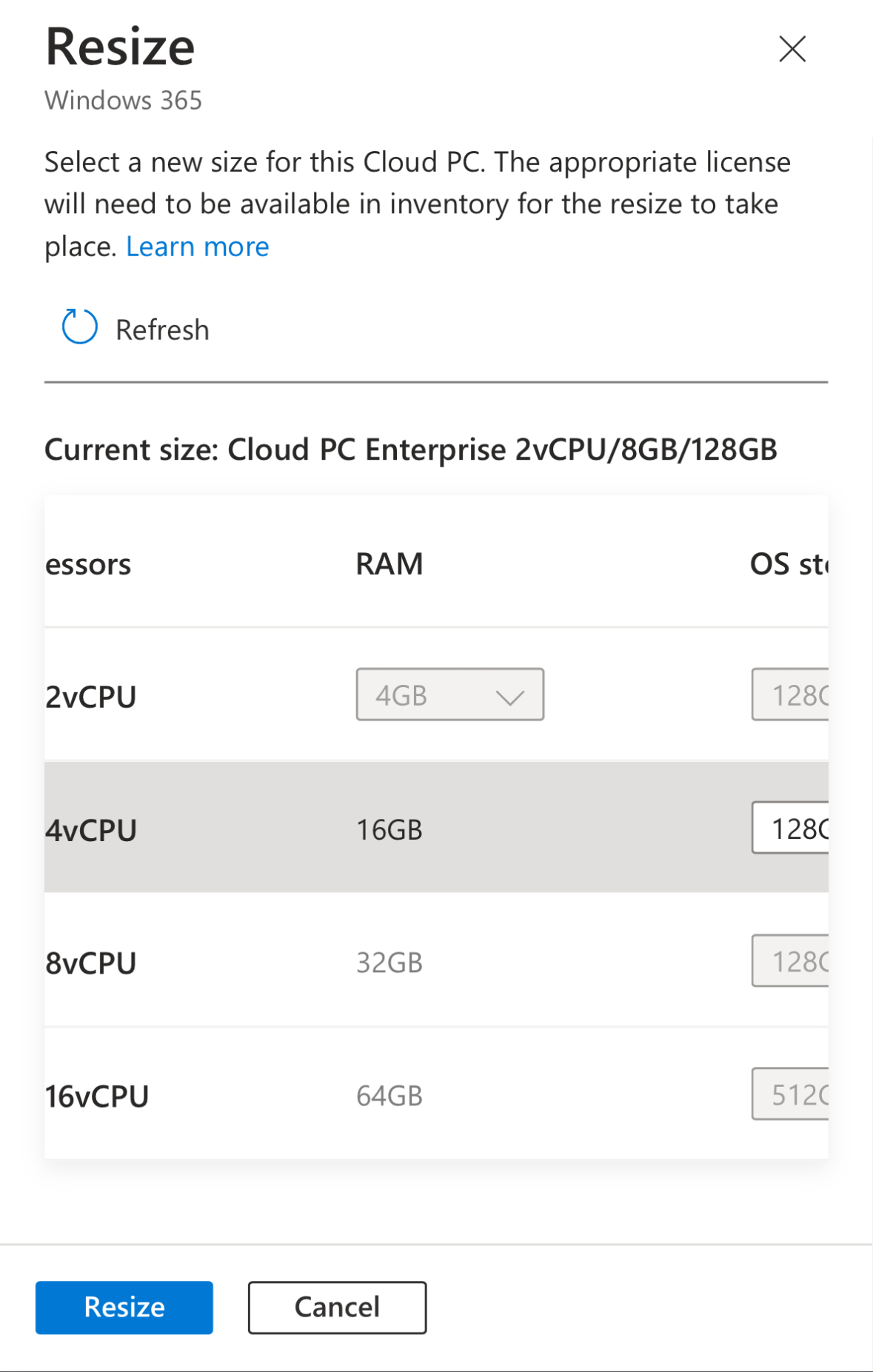
  • Click on the cloud pc and click on resize option and choose another higher SKU.

  • Click on Resize and it shows a notification that it failed with the below reason.

  • The cloud pc doesn’t move to resize pending license state.
  • The cloud pc gets deprovisioned and cloud pc is removed once grace period reaches its end time.
  • The operating system and data are deleted from the Cloud PC. The Cloud PC is no longer available.
  • Resize failed to proceed in this scenario.

Detailed background information:

If a Windows 365 Cloud PC is in a grace period and you attempt to resize it to a higher SKU, the operation will not work as intended. During the grace period, the Cloud PC is in a state where it's essentially marked for deprovisioning, and resizing is not allowed with below error message.


When a Windows 365 Cloud PC is in the grace period and you attempt to resize it to a higher SKU, the following typically happens:

1. Resize Operation Fails: The Cloud PC does not move to a "resize pending license" state because it is already in a grace period, which restricts such operations. The resize request is likely to fail since the Cloud PC is marked for deprovisioning due to issues like an expired or suspended license.

2. Cloud PC Status Remains Unchanged: The Cloud PC remains in the grace period, and no changes are made to its configuration. The system will not attempt to apply the resize until the underlying issue causing the grace period is resolved.

3. Action Required: To successfully resize the Cloud PC, you need to reinstate the user to the older SKU license or replace with a different policy, the Cloud PC will be reprovisioned with the settings in the new policy. Once the Cloud PC is out of the grace period, you can then apply the resize operation.

Note: If in Grace period, if you assign the user to higher SKU group, without going for resize option then the cloud pc will be reprovisioned with the settings in the new policy.

To ensure a smooth transition when resizing a Cloud PC, the device should not be in the grace period. If you need to resize the Cloud PC, you must first reinstate the license. This process helps to avoid any potential conflicts or issues with the Cloud PC's provisioning and ensures that the operation proceeds correctly.

Saturday, August 17, 2024

W365: Case study 1 - Resize windows 365 cloud pc during Grace Period

In a recent discussion within the Microsoft Management Customer Community Program (MCCP) regarding Windows 365, a question was raised: which takes precedence, a license's grace period on its final day or a resize pending license? This blog explores the answer through various scenarios.

You can read more about this topic, which was highlighted by Dieter Kempeneers, on his blog site.

Before to exploring the case study, kindly check the resize flow chart which Microsoft have released.


Scenario 1:

  • The cloud pc is placed under Grace period.
  • On the last day i.e 7th day morning,assign back to the sku group and then after some time click on the cloud pc and click on resize option and choose another higher SKU.

  • When you click on resize, it shows what exactly will happen and what needs to be done so that resize will happen successfully.

  • Click resize so that the cloud pc is placed under Resize pending license state.
  • By default, the resize pending license state will last for 48 hrs. But this doesn’t mean that the resize pending license will extend the grace period to another 2 days. It still honours the 7 days grace period. 
          Grace period will take precedence always.

          Grace Period > Resize pending license
  • Remove the user from older sku group and Add the user to the higher SKU license group now.
  • The provisioning will begin once the entra group is synced.
  • The cloud pc now shows resizing state.
  • The resizing will take around 20-30 mins.
  • The resizing completes successfully.
Since we initiated the resize on the last day morning of the Grace period, the resizing have completed successfully without any issues. 

Detailed explanation of the background process:

If a Windows 365 Cloud PC is in the grace period and you reassign the user to the original SKU license group during the last 7th day of the grace period and then click on resize, here's what typically happens:

1. Reassignment to Original SKU: When you add the user back to the original SKU license group, this action should reinstate the license for that Cloud PC. If the license is reinstated successfully before the end of the grace period, the Cloud PC should return to its active state.

2. Exiting the Grace Period: Once the license is reinstated, the Cloud PC exits the grace period. The Cloud PC will no longer be marked for deprovisioning and will return to normal operation with the original SKU settings.

3. Attempt to Resize: After the license is reinstated and the Cloud PC is no longer in the grace period, you can then attempt to resize it to a higher SKU.
 
    - If the conditions are met (i.e., the Cloud PC is active and has a valid license), the resize operation should initiate normally.
    - The Cloud PC would enter a "Resize pending license" state only if there’s a delay in processing the resize due to the assiging license to the higher sku group. 

In summary, if you reassign the user to the original license group before the grace period ends, and then attempt to resize, the resize should proceed as long as the Cloud PC is no longer in the grace period. If the Cloud PC exits the grace period and is active, the resize should move forward without issues.

In our next blog, we will see the scenario for our case study 2. 
Stay Tuned πŸ”œ

Update 20/08/2024  - Continue to case study 2 πŸš€πŸš€